Your Keyboard Is a Diary: Reading Shiny Keycaps Like a Mac Habit Map
Photo: Shixart1985, CC BY 2.0, via Wikimedia Commons
Every keyboard tells on you eventually. Not in a dramatic way, but in a soft, glossy patch on the space bar, a polished ring around Command, or a set of letter keys that look like they have been buffed by a jeweler. If you have ever tilted your board toward a lamp and noticed that some caps shine while others look factory-fresh, you have already done a little keycap archaeology. The question is what the evidence means—and whether it is worth doing anything about.
Why Some Keys Shine First
Keycap shine comes from a simple combination: skin oils, friction, and repetition. Your fingertips deposit a thin layer of oil every time you type, and the texture on a new keycap slowly gets smoothed away. The keys you hit most often—and hit from the same angle—lose their matte finish first. On a Mac, that usually means the space bar, the letter keys in your main typing lane, and whichever modifier you lean on for shortcuts.
Command is a good example. If you are a shortcut-heavy Mac user, the left Command key can look older than the rest of the bottom row. Option may shine if you type accented characters or use Option-based shortcuts. The E key often goes glossy before anything else because it is the most common letter in English. Arrow keys can develop their own pattern if you spend the day in spreadsheets, code, or long documents.
The pattern is not random. It is a rough map of your habits. A keyboard used mostly for writing will show a different wear profile than one used for design work, audio editing, or school assignments. Even your hand position leaves clues: if you rest your thumb on the space bar rather than striking it, the shine will be wider and softer than if you tap it from one side.
ABS vs. PBT Without the Spec-Sheet Fog
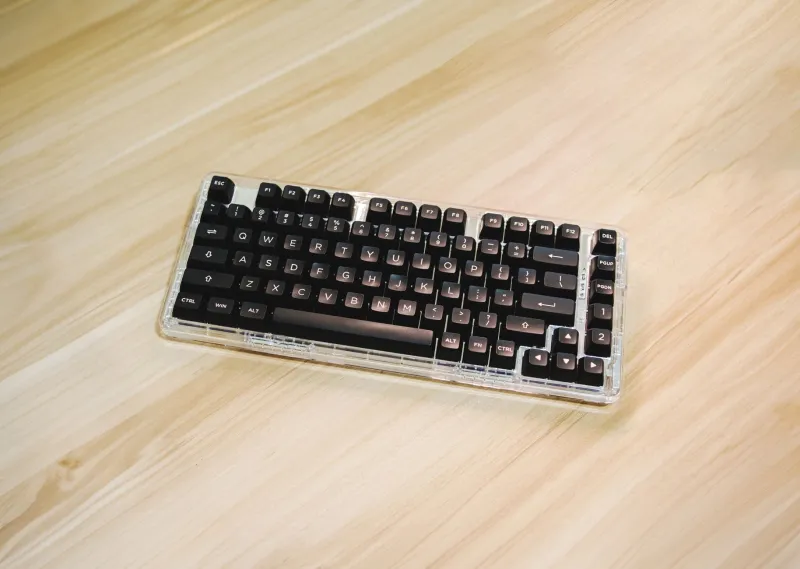
Most keycap conversations eventually land on two plastics: ABS and PBT. The short version is that ABS tends to feel smooth and slightly warmer, and it shines faster. PBT tends to feel more textured and lasts longer before it develops that polished look. Neither is automatically better. ABS is common on many stock keyboards because it is easy to mold and can produce crisp, bright legends. PBT is popular with enthusiasts who want a drier feel and more resistance to wear.
There is also the matter of how the legends are made. Doubleshot keycaps have the lettering molded into the cap, so the characters are less likely to fade. Dye-sublimated legends are printed into the surface and can hold up well, though heavy use still changes the feel. Laser-etched or pad-printed legends are more likely to show wear over time. If you are replacing keycaps, match the mounting style and row profile to your keyboard first. A beautiful set that does not fit your switches or stabilizers is just expensive plastic.
On Apple's own Magic Keyboard, keycap replacement is not really a casual DIY project. The caps are not designed for easy swapping, and pulling them can damage the mechanism. For those boards, cleaning and accepting some shine is usually the practical route. Mechanical keyboards are friendlier to experimentation, especially hot-swappable models with standard layouts.
A Five-Minute Keycap Audit
You do not need special tools for this. Put your keyboard under a desk lamp or near a window with angled light. Look across the caps rather than straight down. Shine shows up best at an angle.
- Find the glossiest keys. Rank the top five. Are they letters, modifiers, or navigation keys?
- Check the space bar. Is the shine centered, or off to one side? That tells you where your thumb actually lands.
- Look at Command and Option. Heavy shine there suggests you are a shortcut user, which is generally good news for your workflow.
- Inspect the letter cluster. A polished E, A, S, and T is normal for writers. A shiny W, A, S, D cluster might mean your Mac keyboard is also your gaming keyboard.
- Photograph the board. A phone photo under direct light makes the pattern obvious. Take another in a month if you want to see how fast the wear is progressing.
The audit is not about judging your habits. It is about noticing them. If your Caps Lock key is pristine and your Escape key is worn, fine—you have a workflow. If your entire right side looks untouched, you may be spending more time on the left half of the board than you realized.
Fixes That Make Sense (and One That Doesn't)
Start with the cheap stuff. Wash your hands before long typing sessions, wipe the caps with a microfiber cloth every week or so, and keep snacks away from the desk. Those habits will not reverse shine, but they slow the buildup of oil and grit. A soft brush can lift dust from the gaps without scratching the plastic.
If the shine bothers you and you have a mechanical board, replacement keycaps are the most direct fix. Choose a material and profile you actually like, not just the set with the best photos. PBT caps can restore a textured feel, while ABS caps may bring back the smooth look you had originally. Keep a keycap puller handy and work slowly, especially around stabilized keys like the space bar, Shift, and Enter.
The fix that rarely makes sense is scrubbing a shiny cap with an abrasive. You may dull the gloss for a day, but you also remove more material and can make the texture uneven. For most people, a clean keyboard with visible shine is better than a scuffed one.
The Shine Is Data
A worn keycap is not a defect report. It is a small record of how you use your Mac: the letters you type, the shortcuts you trust, the thumb you lean on. You can replace the caps, change a few habits, or simply decide that a polished space bar is part of the keyboard's personality. Any of those is a reasonable ending. The useful part is knowing what the wear is telling you—and maybe noticing that your Command key has been carrying more of your workday than you thought.