Featherweight Fight Club: Five Sub-One-Pound Keyboards That Survive TSA, Trays, and Turbulence
I packed a kitchen scale next to my laptop for a month. That sounds unhinged until you've spent three hours typing on a seat-back tray with a keyboard that shifts every time your neighbor reclines. Weight is the first filter for travel gear and the least interesting one. What matters is whether a board pairs cleanly with macOS, holds up to being crushed between a hoodie and a water bottle, and doesn't make you relearn the Command key at 6 a.m. in a hotel lobby.
So I tested five boards that all come in under one pound on my scale. No lab bench, no oscilloscope. Just airports, coffee shops, one regrettable motel desk, and roughly 40,000 words of keyboards-in-public.
The contenders, briefly
- Logitech Keys-To-Go 2 — about 7 ounces, sealed fabric surface, built-in cover
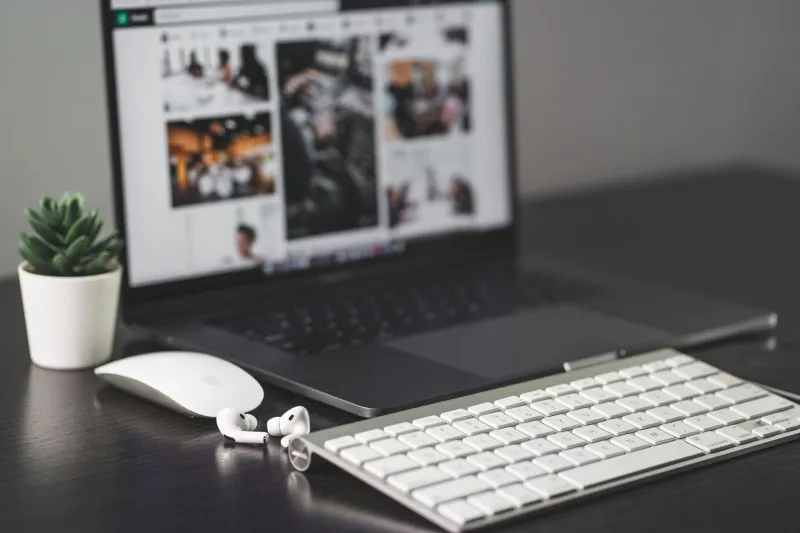
- Apple Magic Keyboard (USB-C) — around 8.4 ounces, the known quantity
- Logitech Pebble Keys 2 K380s — roughly 14 ounces, cheap enough to lose
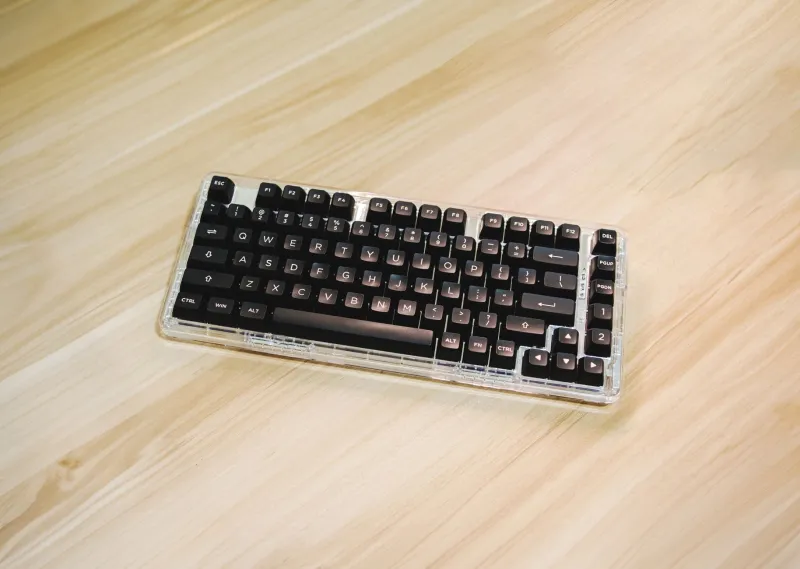
- NuPhy Air60 V2 — about 1 pound even, low-profile mechanical, the wildcard
- Keychron B1 Pro — a hair over 14 ounces, full-size layout in a thin shell
Weights wobble by a few grams depending on switches and whether you count the cable. The point is that all five fit in a laptop sleeve without commentary.
Pairing is where travel keyboards quietly fail
Three devices is the magic number for a travel board. Laptop, phone, and whatever rental desktop you got stuck with. The Logitech pair (Keys-To-Go 2 and Pebble Keys 2) handle this with dedicated keys and a pairing dance I could do in a dark hotel room by day three. Apple's keyboard is one-device-by-default and happy about it. The Air60 V2 and B1 Pro use function-key combos, which are faster once memorized and miserable the first two times.
The macOS-specific questions I ask every board: Does it have a real Command key in the right place? Does the Fn row map to Mission Control and brightness without a config app? Do I have to install 300MB of vendor software just to get a delete-forward key?
Apple wins by default here, obviously. Logitech's Options+ is heavy but the defaults are sane out of the box. NuPhy and Keychron both need a browser-based configurator for the fancy stuff, but basic macOS layout works immediately.
Key feel on a tray table is its own discipline
A tray table is a hostile surface. It's small, it flexes, and it slopes toward your coffee. Boards with rubber feet and a bit of heft stay put. The Keys-To-Go 2 weighs almost nothing, but its fabric top and grippy base mean it doesn't slide — and the sealed surface shrugs off croissant crumbs in a way that mechanical switches absolutely do not.
The Magic Keyboard has the flattest, quietest feel of the group. Great for a plane, less great if you write for a living and want any travel at all. The Air60 V2 is the only board here that makes typing fun; low-profile mechanical switches with a satisfying snap. It's also the loudest, which is a consideration when the person in 14B is asleep.
The B1 Pro sits in the middle: scissor-style, full number row, proper arrow cluster. If you do any spreadsheet work on the road, that layout advantage beats a nicer key feel.
Battery honesty, in weeks not milliamp-hours
Vendor claims are fiction. Here's what my calendar says. The Magic Keyboard just goes for months and gives you about thirty seconds of warning. Both Logitech boards ran six to eight weeks of mixed use on a charge, and both take AAA batteries in some variants, which is a genuine travel superpower — you can buy your way out of a dead keyboard at any drugstore in America.
The two mechanical options are the battery hogs. Expect two to three weeks with backlighting on, closer to six with it off. Both charge over USB-C, so it's one cable for everything. Just charge on Sunday nights and stop thinking about it.
The layout quirks that will annoy you
Half-size arrow keys. Fn-layer media controls instead of dedicated ones. A power switch on the back edge that gets flipped by the inside of your bag. And my personal favorite: boards that ship in Windows mode and require a four-key salute before Command works as Command. Every single one of these is fixable. None of them are fixable while you're boarding.
Spend ten minutes at home setting the correct OS mode, remapping Caps Lock to something useful, and confirming the Fn row does what the legends say. Do that once and travel gets dramatically less annoying.
Carry-on survival, one month in
The Keys-To-Go 2 lives in a side pocket, gets folded shut, and looks identical to day one. The Magic Keyboard's aluminum body picks up scuffs but nothing structural. The Pebble Keys 2 is plastic and feels like it — no damage, but I wouldn't stack a heavy bag on it. The Air60 V2 needs its case; loose in a backpack, those keycaps will find a way to wander. The B1 Pro is the most solid-feeling of the non-Apple options and survived a checked-bag round trip I did not intend to test.
Who should buy which
If you type short bursts and want zero friction, the Keys-To-Go 2 is the one I reach for on planes. If you want a real typing experience and don't mind noise, the Air60 V2 is worth the extra ounces. If you're on a budget or prone to losing things, the Pebble Keys 2 at under $50 is the sane answer. And if you just want the thing your Mac already likes, the Magic Keyboard remains undefeated on battery and pairing.
None of these will make you productive on a red-eye. They'll just stop your keyboard from being the reason you aren't.